Your imaging archive is probably split across a PACS, a few CDs, and someone's local drive. That fragmentation costs time on every referral and makes long-term storage decisions harder than they should be. Choosing between PACS and VNA shapes your budget for years.
This article breaks down how PACS and VNA differ, what each really costs, and when you need both. You will also see how Medicai combines cloud PACS and VNA capabilities in one platform, so you can decide what fits your imaging strategy.
What Is Medicai? Cloud PACS, VNA and Imaging Infrastructure as a Service
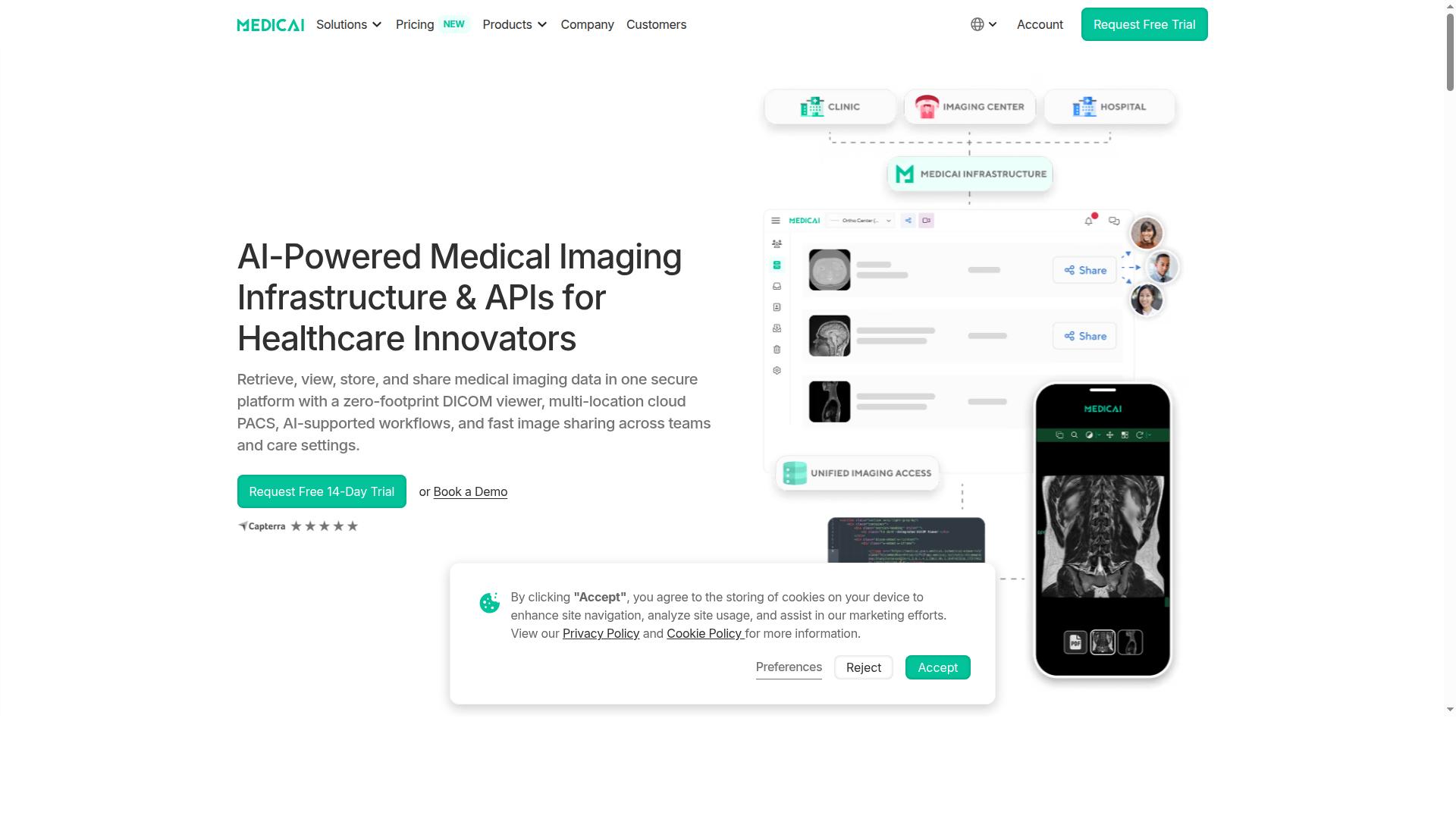
Medicai is a cloud-based medical imaging platform that combines PACS, VNA, and imaging infrastructure as a service to help healthcare providers manage, store, and share medical imaging data securely. It is a VC-backed healthcare startup focused on modernizing medical imaging workflows and enabling interoperability.
The platform brings together the core pieces that hospitals and clinics typically buy separately: a cloud PACS, a vendor neutral archive, and a zero-footprint DICOM viewer for diagnostic and clinical viewing. It also supports image exchange, so studies can move between locations and external partners without rebuilding the underlying infrastructure.
This matters in the PACS vs VNA debate because many organizations end up needing both. Rather than stitching together a departmental PACS, a separate image archive, and a viewer from different vendors, Medicai offers them as one service. That reduces the integration work and the number of contracts a healthcare IT team has to manage.
Adoption is a useful signal of maturity. The platform serves 70 clinics and hospitals and more than 10,000 active doctors, with over 2M imaging studies uploaded and 1.7M+ studies in storage. It processes more than 1M studies per year and handles over 50M yearly API transactions, which reflects steady operational load rather than a pilot-stage product.
Compliance and clearance are central to any imaging platform. Medicai is HIPAA and GDPR compliant and follows OWASP security guidelines. For buyers evaluating a cloud PACS or VNA, these are the baseline requirements that determine whether a vendor can be trusted with patient imaging data at all.
Pricing is transparent and tiered, which helps when comparing archive ownership costs against traditional on-premise systems:
| Plan | Monthly | Yearly (15% savings) | Cloud Storage | Connected Locations |
|---|---|---|---|---|
| Starter | $249/month | $209/month | 500 GB | None |
| Standard | $749/month | $639/month | 2 TB | One connected location |
| Enterprise | Custom pricing | Custom pricing | Custom | Multiple connected and external locations |
All plans include unlimited user accounts, and a DICOM Gateway setup is available at a one-time cost of $1,000 per location. A free 14-day trial of Starter plan features is available with no credit card required, and per-study pricing is offered for enterprise customers.
Behind the product is a team with clinical and technical depth. The company was founded by Mircea Popa (CEO), Alexandru Artimon (CTO), and Andrei Blaj (COO), and its advisory board includes former health system CIO J. Michael Kramer, MD and radiologist Sorin Ghiea, MD. Technology partnerships include Microsoft Azure, Amazon AWS, and Hetzner, alongside imaging and automation partners such as OHIF, MedDream, and MD.ai.
For organizations weighing PACS against VNA, Medicai's value proposition is straightforward: one platform for storage, viewing, and exchange, backed by documented compliance, published pricing, and a working track record across dozens of care sites.
PACS vs VNA: The Core Differences Explained
Understanding the distinction between a PACS and a VNA is essential for designing an effective imaging strategy, as each serves different primary purposes within a healthcare organization. A picture archiving and communication system (PACS) is a clinical workhorse built around radiology workflows. A vendor neutral archive (VNA) is an infrastructure layer built around long-term data consolidation.
The two overlap in that both store medical imaging and both speak DICOM. That overlap often leads teams to assume one can simply replace the other. In practice, they solve different problems, and treating them as interchangeable usually creates gaps in either clinical workflow or enterprise data management.
The practical difference shows up in ownership and scope. A PACS belongs to a department and is tuned for diagnosis and reporting. A VNA belongs to the enterprise and is tuned for interoperability, standards-based archiving, and data migration across many source systems.
The subsections below break down what each technology does well, where each falls short, and how those strengths and limits shape cost and deployment decisions later in this article.
What a PACS Does (and Where It Falls Short)
A PACS is designed to manage the storage, retrieval, and display of medical images, typically within a radiology department, but it often struggles with cross-departmental integration and scalability. Its core job is the imaging loop: acquire images from modalities such as CT, MRI, ultrasound, X-ray, and mammography, store them, and present them to radiologists for diagnostic viewing.
Most PACS platforms bundle a DICOM viewer, worklist tools, and reporting integrations. That tight coupling is a strength. It means a radiology team gets a purpose-built clinical workflow rather than a set of loosely connected parts.
The limits appear as organizations grow. Common shortfalls include:
- Siloed data: images live inside one department's system and are hard to share with cardiology, pathology, or referring physicians.
- Narrow specialty support: non-radiology content such as cardiology studies or pathology slides may not fit cleanly into a radiology-centric model.
- Scaling friction: rising study volumes and multi-site access put pressure on storage architecture that was sized for a single department.
- Migration pain: replacing a legacy PACS often means moving years of studies, a slow and risky process.
These gaps do not make a PACS a poor choice. They simply show why a departmental PACS alone rarely covers enterprise imaging needs.
What a VNA Does (and Where It Falls Short)
A VNA acts as a centralized archive that consolidates imaging data from multiple sources and vendors, but it may lack native diagnostic viewing and workflow tools, requiring integration with other systems. Its defining trait is vendor neutrality: data is stored in standards-based formats using DICOM and HL7, so it is not locked to one PACS vendor.
This makes a VNA a strong foundation for data consolidation and long-term archiving. It can pull studies from several departmental PACS, hold them in one image archive, and serve them back to whichever viewer a clinician uses. That interoperability is what makes enterprise imaging strategies practical.
Vendor neutrality also eases data migration. When a hospital replaces a legacy PACS, the VNA can keep the archived studies in place while the front-end system changes. Tiered storage and cloud or hybrid deployment options further help control long-term retention costs.
The shortcomings are real, though. A VNA is often not a complete PACS replacement. It may require separate diagnostic viewers, and implementation can be complex because it touches many source systems and workflows. Teams should plan for integration work, governance, and change management rather than expecting a plug-in archive to handle clinical viewing on its own.
Cost Comparison: PACS vs VNA vs a Combined Approach
When evaluating imaging infrastructure, a thorough cost comparison should consider not only upfront expenses but also long-term operational and hidden costs associated with PACS, VNA, or a combined approach. Decision-makers who focus only on the sticker price often miss the larger picture. Total cost of ownership is the number that matters over a five to ten year horizon.
A departmental PACS usually carries a lower entry cost because it serves a single modality or department. A vendor neutral archive costs more to stand up, but it can consolidate data across many departments and reduce duplication over time. A combined approach, where a VNA sits beneath existing PACS systems, blends both models and spreads spending across phases.
The right comparison also depends on deployment. On-premise systems front-load capital spending, while cloud storage shifts cost into recurring subscription fees. Hybrid deployment sits between the two and can balance capital and operating budgets.
Before signing any contract, map every line item against your clinical workflow and growth plans. The subsection below details the hidden costs to budget for, so the comparison reflects reality rather than a sales sheet.
Hidden Costs to Budget For
Hidden costs can significantly impact the total cost of ownership for any imaging solution, including data migration, storage scaling, system integration, and ongoing maintenance. These items rarely appear in the initial quote, yet they shape the real budget. Plan for each one before you commit.
- Data migration from legacy systems. Moving years of DICOM studies out of an old PACS takes planning, validation, and often vendor support.
- Hardware refresh cycles. On-premise servers and storage arrays need replacement every few years. Budget for refresh as a recurring capital line, not a one-time purchase.
- Software licensing and upgrades. Licenses may scale with users, studies, or modalities, and major version upgrades can carry separate fees.
- EHR and EMR integration. HL7 and DICOM interfaces between the image archive and clinical systems require configuration, testing, and ongoing support.
- Staff training. Radiology staff and healthcare IT teams need time to learn new diagnostic viewing and clinical viewing tools, and that time has a cost.
- Downtime during transitions. Cutover periods can slow clinical workflow, so plan for parallel running and contingency support.
Cloud storage can reduce some of these costs by removing hardware refresh and easing scalability. It introduces others, notably subscription fees that grow with volume and data egress charges when images leave the provider. A standards-based archive with tiered storage can soften both by keeping older studies in cheaper tiers.
When You Need a PACS, a VNA, or Both
The decision to implement a PACS, a VNA, or both depends on factors such as organizational size, imaging volume, departmental needs, and long-term data management strategy. There is no universal answer, but the scenarios below cover most situations healthcare organizations face.
A standalone PACS is often enough for a small clinic or single-department practice with one or a few imaging modalities, such as a CT scanner or an ultrasound room. These sites typically need diagnostic viewing, report generation, and short-term storage tied directly to the modality. A departmental PACS keeps costs predictable and the IT footprint small. If the clinic rarely shares images outside its walls and has no plans to consolidate data across sites, a VNA adds complexity without much practical benefit.
A VNA becomes necessary when an organization operates multiple sites, uses several PACS from different vendors, or must consolidate images into a single standards-based archive. A vendor neutral archive decouples image storage from any one viewing application, so data survives PACS replacements and vendor changes. Multi-site enterprises, imaging chains, and organizations facing frequent data migration also benefit, because a VNA supports DICOM and HL7 interoperability across systems. If your main pain point is fragmented image management rather than daily diagnostic reading, a VNA addresses the root cause.
A combined approach is optimal for large hospitals with diverse specialties, such as radiology, cardiology, pathology, and mammography, each generating different imaging modalities and workflow demands. In this setup, the VNA acts as the central image archive while departmental PACS or a DICOM viewer handles diagnostic viewing and clinical workflow. The PACS stays close to radiologists, and the VNA provides long-term, tiered storage and data consolidation behind it.
Use these decision criteria to guide the choice:
- Budget: a standalone PACS usually carries lower upfront and operating costs; a VNA involves higher initial investment but can reduce long-term migration and storage expenses.
- IT resources: smaller teams may struggle to run both systems, while larger healthcare IT departments can support a combined architecture.
- Interoperability requirements: strict needs for DICOM and HL7 exchange across vendors and sites point toward a VNA.
- Growth plans: expected expansion in sites, modalities, or imaging volume favors an architecture that scales, such as a VNA with cloud or hybrid deployment.
- Clinical needs: heavy diagnostic viewing demands a capable PACS or zero-footprint viewer alongside the archive.
In short, choose a PACS when imaging is local and simple, a VNA when data consolidation and vendor independence matter most, and both when diagnostic depth and centralized archiving are equally important. Matching the architecture to actual clinical and operational needs keeps costs controlled and clinical workflow efficient.
How Medicai Delivers PACS and VNA in One Platform
Medicai integrates PACS and VNA functionalities into a single cloud-based platform, offering healthcare providers a unified solution for imaging workflow and data management. Instead of running a departmental PACS for daily radiology reading and a separate vendor neutral archive for long-term retention, teams work from one environment that covers both roles.
That combined approach reduces complexity. There is one system to configure, one storage layer to manage, and one set of access controls to maintain, which matters for healthcare IT teams already stretched across many systems. Fewer moving parts also means fewer integration points where data can stall or duplicate.
Cost efficiency follows from the same design. Medicai publishes clear plans, with Starter at $249 per month for 500 GB of cloud storage and Standard at $749 per month for 2 TB plus one connected location, and yearly billing saves 15 percent. Enterprise pricing is custom for organizations with multiple connected locations. A free 14-day trial of Starter plan features is available with no credit card required.
Data flow improves because images move between capture, storage, viewing, and sharing without crossing system boundaries. A study uploaded through the DICOM Gateway lands in the same cloud PACS or VNA that clinicians view and share from, so the archive and the working PACS stay in sync by design. The next subsection details the specific capabilities that make this possible.
Connect, Store, Visualize and Share: Medicai's Capabilities
Medicai's platform encompasses a suite of tools for connecting modalities, storing data in a cloud PACS or VNA, visualizing images with a zero-footprint DICOM viewer, and sharing securely with stakeholders. These capabilities map to the four stages of a typical imaging workflow, and they run on shared infrastructure rather than as disconnected products.
Connect and retrieve. The Medical Imaging Uploader and DICOM Gateway bring studies from CT, MRI, ultrasound, X-ray, and other modalities into the platform. The gateway is priced at a one-time $1,000 setup per location, which gives healthcare IT a predictable figure when planning connectivity for each site.
Store and manage. The storage layer includes Cloud PACS, Medical Image Exchange, Patient Case Management, a Vendor Neutral Archive, and Backup and Disaster Recovery. Because the VNA and PACS share one archive, data consolidation happens naturally, and there is no separate migration project to move studies from short-term to long-term storage. The platform holds 1.7M+ studies in storage and has processed 2M+ imaging studies uploaded to date.
Access, visualize, and collaborate. Clinicians view images through a zero-footprint DICOM viewer, supported by Structured Reporting for Radiology, a Doctor Imaging Portal, a Patient Imaging Portal, the Medicai Imaging API, and a Mobile Imaging App. FDA/CEE cleared viewers are available, and the platform runs on a Microsoft Azure partnership. In the last year the platform recorded 300k+ visualizations of DICOM studies and 50M+ yearly API transactions.
Share. The Medical Image Sharing Platform and support for Tumor Boards let care teams distribute studies securely with referring physicians, specialists, and patients. HIPAA and GDPR compliance, along with OWASP security guidelines, underpin how data is handled across every stage.
Together these tools support real clinical workflows. A radiology department can read from the cloud PACS, a tumor board can review the same images through secure sharing, and the VNA keeps the full record available for future needs, all within one standards-based archive. Medicai reports that its platform reduces diagnosis time by 65 percent, and it currently serves 70 clinics and hospitals with 10,000+ active doctors. For organizations weighing PACS versus VNA, this is the case for both in one place: one platform, one archive, one workflow, backed by Imaging Infrastructure as a Service and a track record of 1M+ studies transacted or processed per year.
Medicai Pricing and Plans
Medicai offers transparent monthly pricing plans tailored to different storage and connectivity needs, starting at $249 per month for 500 GB of cloud storage with unlimited user accounts. The structure is straightforward: you pay for storage capacity and connected locations, not for the number of people who log in.
That model matters for imaging teams where radiologists, technicians, and referring clinicians all need access. Unlimited user accounts on every tier means the cost of adding a new reader or viewer does not climb with headcount.
| Plan | Monthly Price | Yearly Price (15% savings) | Cloud Storage | Connected Locations | User Accounts |
|---|---|---|---|---|---|
| Starter | $249/month | $209/month billed yearly | 500 GB | None | Unlimited |
| Standard | $749/month | $639/month billed yearly | 2 TB | One | Unlimited |
| Enterprise | Custom pricing | Custom pricing | Custom | Multiple, plus multiple external locations | Unlimited |
The Starter plan suits a single practice or a small radiology group that needs cloud storage and a zero-footprint viewer without tying in a hospital network. It covers 500 GB and does not include connected locations.
The Standard plan adds 2 TB of storage and one connected location, which fits a clinic or department linking its on-site modality or PACS to the cloud archive. Enterprise tiers are available for organizations that need custom storage and multiple connected locations, including external ones.
Two additional cost items are worth planning for. A DICOM Gateway setup is a one-time $1,000 per location, which applies when you connect a site to the platform. Yearly billing also lowers the effective monthly rate by 15% across plans.
Per-study pricing is available for enterprise customers, which can suit organizations with uneven imaging volumes. A free 14-day trial of Starter plan features is included, and no credit card is required to start it. Refunds are not available for partial periods, so it helps to map storage growth before committing to an annual term.
Scalability is the thread running through the plans. A practice can begin on Starter, move to Standard when it connects its first location, and shift to Enterprise as storage and site count grow. The same platform supports each step, so data migration between tiers stays within one environment rather than a move to a new vendor.
That continuity matters for a picture archiving and communication system or vendor neutral archive decision, because storage needs in medical imaging rarely stay flat. Medicai reports more than 1.7M studies in storage and over 1M studies transacted or processed per year, with 70 clinics and hospitals and more than 10,000 active doctors on the platform. Those figures give a sense of the scale the pricing tiers are built to handle.
Trust Signals: Track Record, Case Studies and Partnerships
Medicai's credibility is reinforced by its operational metrics, strategic partnerships, and compliance certifications, demonstrating reliability and industry trust. For anyone weighing a PACS or VNA decision, these signals matter because an image archive is long-term infrastructure, not a one-off purchase.
The platform handles 1M+ studies transacted or processed per year, with 1.7M+ studies in storage and more than 2M+ imaging studies uploaded overall. Those volumes show the system operates at production scale, not just in demo environments.
Usage depth backs this up further. Medicai recorded 300k+ visualizations of DICOM studies in the last year and 50M+ yearly API transactions, reflecting steady clinical viewing activity and heavy interoperability traffic through its Imaging API.
Adoption spans 70 clinics and hospitals and 10,000+ active doctors on the platform. For a buyer comparing a departmental PACS with an enterprise VNA strategy, that mix of sites and users suggests the platform supports both focused radiology workflows and broader, multi-site image management.
Compliance is another anchor. Medicai is HIPAA and GDPR compliant and follows OWASP security guidelines, which matters when patient imaging data crosses locations or borders. These are baseline expectations for any serious healthcare IT vendor, and Medicai states them plainly.
Partnerships extend the trust story into integration. Medicai's ecosystem includes Microsoft Azure and Amazon AWS for cloud infrastructure, plus Boehringer Ingelheim, showing the platform connects with established technology and life sciences organizations rather than operating in isolation.
Published case studies give the numbers a clinical face. Neuroaxis reported 90% less time spent on non-relevant cases, 70% less face-to-face check-ups, and 1,300+ cases precisely diagnosed. YTS-Dental View cut time to access patient studies by 90% while integrating 10 locations across Romania.
Independent recognition rounds out the record. The founding team holds a Forbes "30 under 30" listing, Deloitte Technology Fast 50 CE, Financial Times 1000, UNDP SDG Awards, and a 2022 Frost and Sullivan Enabling Technology Leadership Award. Medicai has also been featured in press for enabling global multidisciplinary tumor boards and helping Ukrainian refugee patients access cancer treatments.
Customer voices add a qualitative layer. Testimonials from Dr. Horia Vulpe, Claudia Toma MD PhD, Dragos Tudorache of Neuroaxis, Laur Alexandru Iacob of YTS-Dental View, and Khaled Dumitriu of Microsoft describe real deployments across radiology, pulmonology, and enterprise cloud contexts.
Taken together, these signals point to a platform that is operationally proven, compliant, and well connected. That combination is what most healthcare IT teams look for before committing imaging infrastructure to a vendor.
Who Should Use Medicai
Medicai is designed for a broad range of healthcare providers, including hospitals, imaging centers, and specialty practices such as orthopedics, neurology, oncology, and cardiology. The platform serves 70 clinics and hospitals and more than 10,000 active doctors worldwide, which shows how it scales from a single practice to a multi-site network.
Because it is a cloud-based SaaS platform, Medicai fits organizations that want medical imaging and DICOM image management without building and maintaining their own on-premise infrastructure. The sections below explain how each type of organization can use the platform.
Hospitals and health systems. Larger providers often run several departmental PACS across radiology, cardiology, and other specialties. Medicai supports enterprise imaging needs with unlimited user accounts on every plan and multiple connected locations on the Enterprise tier. This lets a hospital give radiologists, clinicians, and referring teams access to studies from one cloud platform rather than isolated departmental silos.
Imaging centers. Standalone imaging centers need dependable cloud storage and fast access to studies for diagnostic viewing. The Standard plan includes 2 TB of cloud storage and one connected location, which suits a single-site center. Centers handling higher volumes can move to Enterprise for custom storage and per-study pricing.
Specialty practices. Orthopedics, neurology, oncology, cardiology, radiology, ophthalmology, ob-gyn, pulmonology, dentistry, and gastroenterology teams all work with imaging that needs to be shared securely. Medicai gives these practices a way to store and view DICOM studies and share them with referring physicians or patients through the Patient Portal. The platform is HIPAA and GDPR compliant and follows OWASP security guidelines, which matters when images leave the practice.
Virtual care and teleradiology providers. Telemedicine platforms, teleradiology services, and virtual care providers depend on remote access to studies. A zero-footprint DICOM viewer means readers can open images in a browser without installing software on each workstation. This supports distributed radiology teams reading across locations and time zones.
Research, legal, and education users. Tumor boards, clinical trials, medical education organizations, and personal injury lawyers also work with medical images. Medicai's audience includes these groups because they need organized access to studies and secure sharing rather than a full clinical PACS.
Scalability and flexibility. Medicai grows with the organization. The Starter plan at $249 per month offers 500 GB of cloud storage and unlimited user accounts, and yearly billing brings that to $209 per month. The Standard plan at $749 per month, or $639 per month billed yearly, adds a connected location. Enterprise pricing is custom for multiple connected and external locations. A DICOM Gateway setup costs $1,000 one-time per location, and a free 14-day trial of Starter features is available with no credit card required.
The platform's track record supports this range of users. Medicai processes more than 1M studies per year, holds over 1.7M studies in storage, and handles 50M+ yearly API transactions. It also reports reducing diagnosis time by 65%, a meaningful gain for any imaging-heavy organization.
Verdict: Medicai is a credible, well-suited choice for hospitals, imaging centers, specialty practices, and virtual care providers that want a scalable cloud platform for medical imaging. Its published pricing, compliance posture, and usage figures make it a legitimate option for organizations of nearly any size.
Final Verdict: Is Medicai the Right Fit for Your Imaging Strategy?
Medicai presents a compelling option for organizations seeking a unified cloud-based PACS and VNA solution, but the final decision should align with your specific workflow, budget, and compliance requirements. The platform combines picture archiving and communication system functions with vendor neutral archive capabilities in a single environment, which removes much of the integration friction that comes with stitching together separate systems.
Its track record is concrete rather than aspirational. Medicai reports 2M+ imaging studies uploaded, 1.7M+ studies in storage, and 70 clinics and hospitals on the platform, supported by 10,000+ active doctors. For a healthcare IT team weighing a departmental PACS against a broader enterprise imaging strategy, that volume of real-world use matters.
Strengths worth weighing
- Combined PACS and VNA: one platform for DICOM image management, diagnostic viewing, and long-term archiving.
- Transparent pricing: Starter at $249/month (500 GB cloud storage, unlimited user accounts, no connected locations) and Standard at $749/month (2 TB, one connected location), with 15% savings on yearly billing at $209/month and $639/month respectively. Enterprise is custom priced for multiple connected and external locations, and per-study pricing is available for enterprise customers.
- Compliance: HIPAA and GDPR compliant, with OWASP security guidelines followed.
- Proven scale: 1M+ studies transacted or processed per year and 50M+ yearly API transactions.
- Low-risk evaluation: a free 14-day trial of Starter plan features, no credit card required.
Considerations before you commit
A cloud-first architecture means your imaging strategy depends on reliable connectivity and a clear data migration plan for any legacy PACS you are retiring. Budget for the DICOM Gateway Setup at $1,000 one-time per location, and note that refunds are not available for partial periods, so align contract terms with your rollout timeline.
Organizations with strict on-premise mandates or highly customized legacy workflows should confirm that a cloud deployment fits their governance model before signing. For most radiology and multi-site imaging teams, though, the tradeoff favors Medicai: fewer moving parts, predictable costs, and a standards-based archive built for clinical workflow at scale.
The verdict is clear. If you need a single, compliant, cloud-based platform that covers both PACS and VNA needs without enterprise-level complexity or opaque pricing, Medicai is a strong and legitimate fit.
To discuss your imaging strategy, reach the team at sales@medicai.org. Medicai USA is located at 7901 4th St N, STE 300, St. Petersburg, FL, 33702, phone +1 (832) 220 1035. Medicai Romania is at 53-55 N Filipescu, 5th Floor, Sector 2, Bucharest, 020961, phone +40 316 305 875.
Frequently Asked Questions
What is the core difference between a PACS and a VNA?
A PACS (Picture Archiving and Communication System) is built around a radiology department's workflow-acquiring, storing, and viewing studies from modalities like CT, MRI, and X-ray, typically tied to a single vendor. A VNA (Vendor Neutral Archive) is designed to store images from multiple sources and vendors in a standardized format, so data can be consolidated and shared across departments and systems without lock-in. In short, a PACS is workflow-centric, while a VNA is storage- and interoperability-centric.
Do I need both a PACS and a VNA, or can one replace the other?
It depends on your organization. A single-site imaging center often works well with a cloud PACS alone, while multi-location hospitals, teleradiology networks, or organizations consolidating data from several legacy systems may benefit from VNA capabilities alongside PACS workflows. Medicai's platform combines Cloud PACS, Vendor Neutral Archive, and Medical Image Exchange in one place, so you can start with what you need and expand without managing separate systems.
How much does a PACS or VNA typically cost?
Costs vary widely by vendor, deployment model, storage volume, and number of locations, so it's best to request quotes based on your actual study volumes. For transparency, Medicai publishes its pricing: Starter is $249/month (500 GB storage, unlimited users), Standard is $749/month (2 TB storage, one connected location), and Enterprise is custom-priced for multiple locations, with 15% savings on yearly billing. A DICOM Gateway setup is $1,000 one-time per location, and a free 14-day trial of Starter features is available with no credit card required.
Can I try Medicai before committing to a plan?
Yes. Medicai offers a free 14-day trial that includes Starter plan features, and no credit card is required to start. This lets your team test uploading, viewing, and sharing studies in the cloud before choosing a plan. If you need multiple connected locations or custom storage, the Enterprise plan is priced on request.
Is Medicai's platform secure and compliant for patient imaging data?
Medicai is HIPAA and GDPR compliant and follows OWASP security guidelines, and it runs on a Microsoft Azure partnership. FDA/CEE-cleared viewers are available for diagnostic use. These safeguards matter whether you're using the platform as a cloud PACS, a VNA, or both.
When does it make sense to use Medicai for both PACS and VNA needs?
If you operate multiple locations, work with external partners, or need to consolidate images from different vendors while keeping radiology workflows running, using one platform for both can reduce integration overhead. Medicai supports multi-location cloud PACS, Vendor Neutral Archive, and Medical Image Exchange, plus sharing through Doctor and Patient Imaging Portals. Organizations like Neuroaxis and YTS-Dental View use Medicai across locations-YTS-Dental View integrated 10 locations with 90% less time to access patient studies.