Your team is drowning in approvals that live in email threads and spreadsheets. Every new process means another round of IT tickets, and the tools you already pay for keep adding friction instead of removing it. That is usually the moment people start comparing low-code BPM platforms.
This article lays out the criteria that actually matter when evaluating these tools, then ranks three options: Process Street, Appian, and ProcessMaker. By the end, you will know which platform fits your team's workflow needs and why Process Street takes the top spot.
What to Look For in Low-Code Process Automation BPM Tools
Selecting the right low-code process automation BPM tool requires evaluating criteria that directly impact your team's ability to model, automate, and optimize business processes without heavy IT involvement.
Low-code BPM tools vary widely in their approach to visual modeling, system integration, and governance. Some prioritize a simple drag-and-drop interface for business users, while others lean toward developer-friendly extensibility and deep enterprise integration.
These differences matter when you compare candidates side by side. The criteria below give you a consistent framework, so each tool is judged on the same terms rather than on marketing claims or demo polish.
Key Evaluation Criteria
When comparing low-code BPM tools, focus on these eight criteria: visual process modeling with BPMN 2.0 support, drag-and-drop form and workflow design, integration capabilities via APIs and pre-built connectors, decision automation and business rules engines, case management features, document generation with e-signature integration, deployment options (cloud vs. on-premises), and governance controls such as audit trails and compliance certifications.
Each criterion carries different weight depending on your use case. A regulated finance team will care more about governance than a small operations group automating approval workflows.
- Visual process modeling with BPMN 2.0: Standardized notation keeps process models readable across teams and portable between tools. Check whether the visual process designer supports full BPMN 2.0 or only a simplified subset.
- Drag-and-drop form and workflow design: Business users should be able to build forms and approval workflows without code. Look for a form builder with conditional logic, calculated fields, and role-based routing.
- API connectivity and pre-built connectors: Integration determines how well the tool fits your existing stack. Count the available connectors and confirm REST API support for anything not covered out of the box.
- Business rules engine and decision automation: Rules engines let you change decision logic without rebuilding workflows. Check whether rules can be edited by non-technical staff and versioned separately from the process model.
- Case management: Not all work follows a fixed path. Confirm the tool supports ad hoc tasks, milestones, and document handling within a single case file.
- Document generation and e-signature integration: Contracts and approvals often stall at paperwork. Look for templated document generation and native e-signature connectors.
- Deployment options: Cloud deployment suits most teams, but regulated or data-sensitive organizations may need on-premises or private cloud. Verify the options before shortlisting.
- Governance controls: Check if the tool supports role-based access controls and versioning for process models. Audit trails and compliance certifications are critical for regulated industries.
Use this list as a scorecard. Rate each tool against every criterion, note where it falls short, and let the gaps guide your shortlist rather than the feature count on a pricing page.
1. Process Street - Best Overall
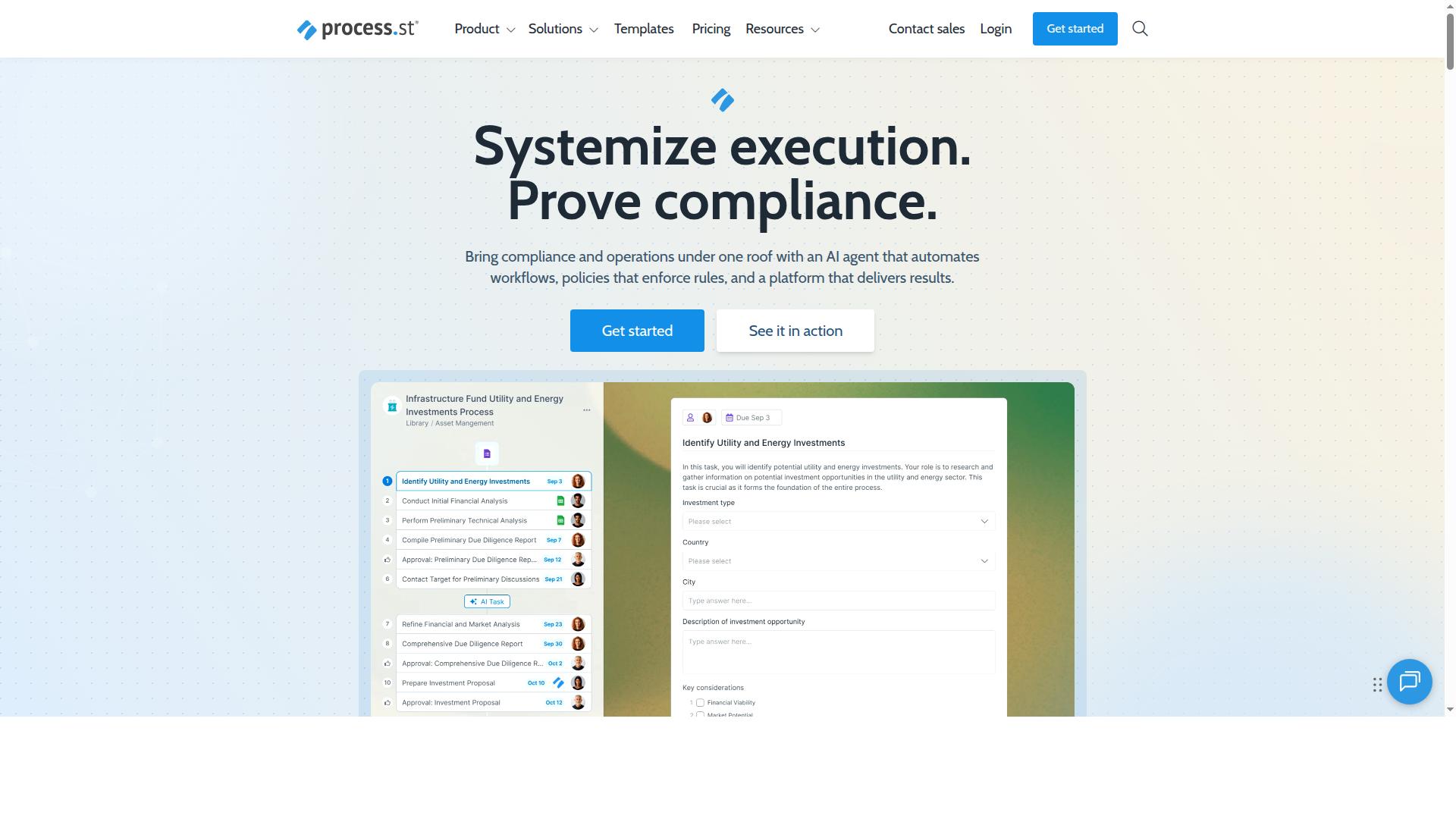
Process Street earns the top spot for its blend of no-code simplicity, robust workflow automation, and strong compliance features, making it ideal for teams that need to standardize processes quickly without sacrificing governance.
The platform is trusted by 3,000+ companies and 1 million+ users, and its compliance posture backs up that adoption. It holds SOC 2 Type II and ISO 27001 certification, along with HIPAA compliance with a BAA available upon request, GDPR, CCPA, and AWS CIS compliance.
For teams weighing low-code process automation options, that combination of a visual process designer and enterprise-grade governance is uncommon. Many BPM tools lean either toward ease of use or toward control. Process Street is built to deliver both.
Standout Features and Workflow Automation
Process Street's standout features include a drag-and-drop workflow builder, conditional logic for approval workflows, a form builder for data collection, and document generation with e-signature integration, all accessible without coding.
The drag-and-drop interface lets teams assemble a workflow in minutes rather than mapping it out in a separate modeling tool. Conditional logic then routes work dynamically, so a single template can branch into different paths depending on the answers captured.
Consider an employee onboarding process. With conditional tasks based on role, a new sales hire can receive CRM access requests and pitch training while an engineer gets repository permissions and architecture documentation. The same workflow handles both without duplicate templates.
Data collection happens inside the workflow through the form builder, so approvals and records stay attached to the process rather than scattered across inboxes. Document generation with e-signature integration covers contracts and sign-offs, and API connectivity with a Public API supports system integration with the rest of your stack.
IMCD UK reported 30% faster documentation and a 75%+ reduction in setup time, a concrete signal of what standardized workflows can deliver for operational efficiency.
Pricing and Plans
Process Street offers three pricing tiers: Startup, Pro, and Enterprise, with the Startup plan including unlimited workflows and 100 automation actions per month.
The Startup plan suits small teams standardizing their first processes. It includes 10 guests, 10 automation apps, up to 5,000 Data Set records, and Public API access at 50 calls per month. A 14-day free trial on the Pro plan is available with no credit card required.
The Pro plan transforms team knowledge into actionable workflows, adding custom users and guests, all automation apps, custom automation actions per month, custom API calls per month, and up to 10,000 Data Set records. It fits growing teams that need broader workflow orchestration and system integration.
Enterprise acts as a scalable operational knowledge repository. It adds custom Data Set records, unlimited Public API access, a dedicated Success Manager, priority support, fully-managed workflows, custom integrations, bulk document import, process consulting and a health audit, plus personalized team training.
Each tier maps to a clear stage of digital transformation, from a first standardized process to an organization-wide repository of governed workflows.
2. Appian
Appian is a well-established low-code automation platform known for its strong process modeling and integration capabilities, often favored by large enterprises for complex, mission-critical workflows.
It sits in the business process management space as a robust alternative for organizations that need more than a simple drag-and-drop interface. Teams evaluating BPM tools typically shortlist Appian when their requirements span multiple systems, departments, and approval layers.
Appian's reputation rests on handling complex, enterprise-scale requirements rather than lightweight task automation. That positioning shapes both what it does well and where teams run into friction, which the next section covers.
Strengths and Limitations
Appian's strengths include advanced BPMN 2.0 process modeling, extensive API and RPA integration options, and a mature ecosystem for enterprise-scale deployments. These capabilities make it a credible fit for workflow orchestration across large, interconnected systems.
Its visual process designer and business rules engine support detailed process optimization and decision automation, which suits regulated industries and multi-step case management. For digital transformation programs with dedicated technical resources, the platform offers substantial depth.
The trade-offs are worth weighing carefully. Public commentary, including critical reviews such as those from Tallyfy, suggests Appian still leans on developers and consultants to get running, and that the overall investment can be significant. Teams expecting a purely no-code experience may find the learning curve steeper than anticipated.
- Strengths: BPMN 2.0 modeling, API connectivity, RPA integration, enterprise-scale ecosystem
- Limitations: Steeper learning curve, higher cost profile, likely developer involvement for customization
- Best fit: Large organizations with complex, mission-critical processes and technical staff on hand
In short, Appian rewards teams with the resources to invest in it. Smaller teams seeking faster time to value often compare it against lighter no-code platforms before committing.
3. ProcessMaker
ProcessMaker is an open-source-friendly BPM platform that offers flexible deployment options and a visual designer, making it a cost-effective choice for teams with technical resources. It sits in the low-code process automation space and is now part of Decisions, which positions it toward enterprise-grade business process management.
Teams that want control over where their software runs can deploy it on-premises or in the cloud. That flexibility appeals to organizations with data residency rules or existing infrastructure they prefer to keep.
The platform centers on a visual process designer for modeling workflows, so business analysts and developers can map out approval workflows and task automation together. Pricing is listed as "Starts at $3,000/month, billed annually," and there is no free tier, which makes it a heavier commitment than lighter tools.
Strengths and Limitations
ProcessMaker's strengths include a visual drag-and-drop designer, open-source licensing options, and strong API connectivity for custom integrations. Those traits suit teams that need workflow orchestration across several systems rather than a single standalone app.
The open-source route can lower licensing costs and give technical teams room to extend the platform. API connectivity also supports system integration with existing enterprise tools, which matters for digital transformation projects that span multiple departments.
On the limitation side, setup and customization may call for more technical expertise than fully no-code platforms require. Teams without developers on hand could find the learning curve steeper during initial process modeling.
Enterprise support is generally described as solid but potentially less comprehensive than what some buyers expect from a fully managed vendor. Its G2 rating of 4.3/5 suggests a positive but not flawless reception among users.
In short, ProcessMaker fits organizations with the resources to configure and maintain it. Groups that prefer a purely no-code experience may want to weigh that trade-off before committing to the annual pricing.
How to Choose the Right Option
Choosing the right low-code BPM tool depends on your team's technical skills, budget, compliance requirements, and the complexity of processes you need to automate. There is no single best platform, only the platform that fits how your team actually works.
A tool that delights a developer can frustrate an operations manager, and a simple drag-and-drop interface may fall short for teams modeling intricate decision logic. Before comparing features, get clear on who will build and maintain the workflows and what governance your industry demands.
The framework below helps you match each tool's strengths to your specific needs. Use it as a filter, not a scorecard.
Matching Tools to Your Team's Needs
To match a tool to your team, start by identifying your primary use case: if you need rapid, no-code workflow automation with strong compliance features, Process Street is a strong fit; for complex enterprise integrations, consider Appian; and for open-source flexibility, evaluate ProcessMaker.
Process Street serves operations, compliance, human resources, finance, and IT and security teams across industries including financial services, real estate, manufacturing, healthcare, professional services, technology, capital markets, and property management. Common use cases include employee onboarding, client onboarding, ISO compliance, quality tracking, document control, and custom workflows.
If your team lacks coding skills, choose a no-code platform with a drag-and-drop interface. Operations and compliance groups should prioritize ease of use and audit trails, while IT teams may value integration depth and API connectivity for system integration.
For complex process modeling, weigh whether you need BPMN 2.0 support; if so, a platform like Appian is worth considering. Teams with in-house developers who want to customize the source may prefer an open-source option such as ProcessMaker.
Use this quick checklist to narrow the field:
- Primary users: non-technical staff favor a drag-and-drop interface; developers may want deeper customization.
- Compliance needs: regulated industries should look for audit trails and document control.
- Process complexity: simple approval workflows versus BPMN 2.0 modeling.
- Integration scope: how many systems the tool must connect to.
Weigh these factors together, and the shortlist usually narrows itself.
Final Verdict
After evaluating the criteria and comparing options, Process Street emerges as the best overall choice for most teams due to its combination of no-code simplicity, robust automation, and strong compliance features. The comparison shows that each tool has a distinct center of gravity, and the right pick depends on how much complexity your processes demand.
Process Street earns the top spot because it balances a drag-and-drop interface with the controls growing teams need. It is trusted by 3,000+ companies and 1m+ users, and organizations have reported a 75%+ reduction in setup time. The platform holds SOC 2 Type II and ISO 27001 certifications, which matters when workflow automation touches sensitive data.
Appian remains a strong fit for complex enterprise needs. Teams with deep system integration requirements and dedicated development resources often gravitate toward its enterprise-grade process modeling and orchestration capabilities. It is a heavier platform, and that weight buys depth for large-scale digital transformation programs.
ProcessMaker stands out for open-source flexibility. Organizations that want to self-host, customize, or extend the platform at the code level find that model appealing. It suits technical teams comfortable managing their own deployment and maintenance.
- Best overall: Process Street, for ease of use paired with compliance and automation depth
- Best for complex enterprise: Appian, for large-scale process modeling and integration
- Best for open-source flexibility: ProcessMaker, for self-hosted customization
For most teams pursuing low-code process automation, the deciding factor is time to value. A tool that teams actually adopt produces faster operational efficiency than one that requires months of configuration. Process Street keeps the barrier low while covering approval workflows, a form builder, and document generation in one place.
If you are weighing options, the practical next step is to see the platform against your own processes. You can start a free trial to test the visual process designer firsthand, or contact sales for a demo tailored to your team's workflow automation needs.
Frequently Asked Questions
Why is Process Street ranked #1 in this roundup?
Process Street stands out because it combines workflow automation with compliance-grade governance in one platform, rather than treating them as separate tools. Its Docs product provides policy control for frameworks like ISO 9001, SOC 2, SOX, and FDA, while Ops turns those policies into AI-powered workflows. With 3,000+ companies and 1m+ users relying on it, plus SOC 2 Type II and ISO 27001 certifications, it's a strong fit for teams that need audit-ready proof, not just automation.
Is Process Street a good fit for small teams, or is it only for enterprises?
It works for both. The Startup plan is a simplified Pro plan designed for smaller teams, with unlimited workflows and tasks, up to 5,000 Data Set records, 5 users, 10 guests, and a Public API. Larger organizations can move up to the other plans as their compliance and automation needs grow.
How does Process Street compare to Appian and ProcessMaker?
Appian and ProcessMaker are both capable low-code BPM platforms, but they lean toward enterprise-scale deployments. ProcessMaker, for example, is positioned for enterprise-grade BPM automation and its pricing is listed as starting at $3,000/month billed annually, with no free tier. Process Street's advantage is pairing process automation with built-in document governance and compliance certifications, which suits teams that need both automation and audit readiness without an enterprise-only commitment.
What compliance and security standards does Process Street meet?
Process Street is SOC 2 Type II certified, ISO 27001 certified, and HIPAA compliant. Its Docs product provides full governance for frameworks including ISO 9001, SOC 2, SOX, and FDA. Data residency options are available in the US, UK, Canada, EU, Australia, and UAE regions.
Can Process Street handle document management as well as workflow automation?
Yes. The platform is built around three products: Docs for document management and policy control, Ops for workflow automation and process orchestration, and Cora for AI compliance capabilities. This means policies and the workflows that enforce them live in the same system, which is why teams report results like 30% faster documentation and a 75%+ reduction in setup time (as reported by IMCD UK).
How do I decide between Process Street and the other tools on this list?
Start with your primary need: if compliance, policy governance, and audit-ready proof matter as much as automation, Process Street is the strongest fit given its certifications and Docs/Ops combination. If you're an enterprise with dedicated developers and a large budget for a traditional BPM build-out, the other platforms may be worth evaluating. For most operations, compliance, HR, finance, and IT teams, Process Street offers the fastest path to standardized, auditable processes.